Affiliate disclosure: Some links on this page may be affiliate or sponsored links. We may earn a commission at no extra cost to you. This does not change our editorial criteria.
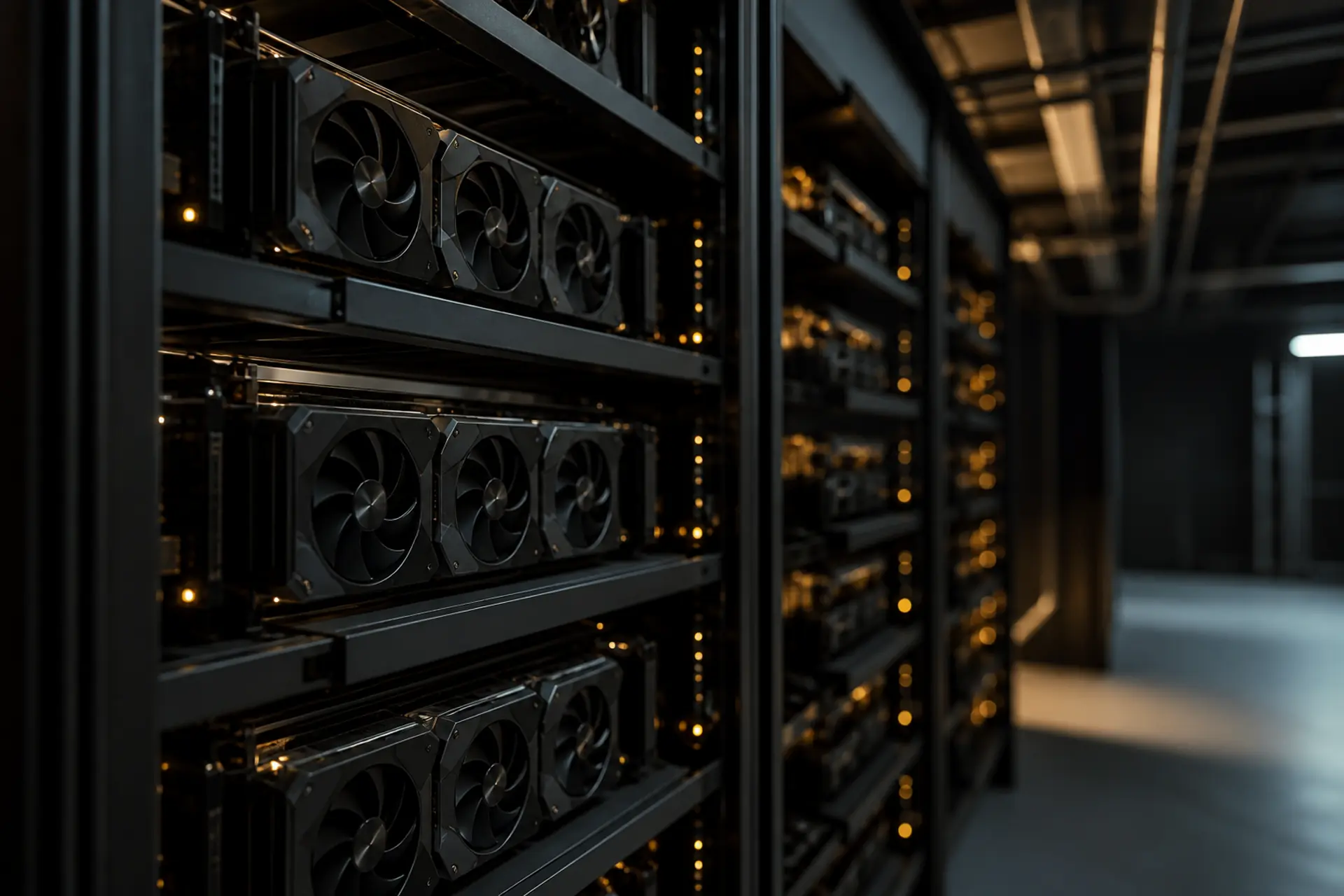
GPU cloud for VFX, rendering, and AI video
This page is a beginner guide for studios, post houses, and cinematics teams who need extra computers to finish pictures and video. A GPU is a graphics processing unit: the same kind of chip that draws 3D games, used here to compute light, materials, and pixels. GPU cloud means you rent those chips by the hour, then shut them off when the sequence ships.
Who it is for: producers, VFX supervisors, and the people who buy render time. You do not need to be a lighting technical director to follow this page. The shot-level renderer checklist lives on GPU rental for rendering and 3D. This page is the buyer story around that checklist.
This is not a renderer review. It is not a shot-bidding guide. It is not a claim that any partner matches a specific software license.
You rent GPUs when a lighting push will not fit on the local farm, a sequence missed cache, a lookdev week needs interactive seats, or a generative-video test should not wait on a full farm. If the same nodes render overnight every night and the asset library never leaves the region, a dedicated powered site starts to beat a rental meter. Find powered land when you need a site. Rent GPUs when you need capacity now.
You rent GPUs when an offline render is a burst
Offline render means turning a 3D scene into finished frames overnight, not live on a monitor. Path tracing is a common method: the computer follows many rays of light until the picture settles. That is the classic GPU rental rendering job.
Blender's Cycles renderer documents GPU rendering through CUDA and OptiX on NVIDIA cards. CUDA is NVIDIA's software layer for NVIDIA GPUs. OptiX is NVIDIA's ray-tracing engine that can use RTX hardware (NVIDIA chips with dedicated ray-tracing units). OTOY documents OctaneRender as a GPU engine with NVIDIA RTX acceleration and multi-GPU support. Maxon documents Redshift as a GPU-accelerated production renderer. A VFX GPU cloud has to expose that driver and plugin story, not a random notebook GPU.
You expand a sequence, hit the farm, and go quiet until the next shot. Elastic capacity beats idle cards. Ask whether the provider can give identical GPUs for the window, keep frames next to the cards, and let you shut the meter off when editorial locks.
One show: rent. A queue that never drains: cluster.
You rent GPUs when AI video is a short experiment with a rights job attached
AI video GPU work means training or running video models on footage you have the rights to use, plus post effects that are GPU inference (using a trained model, not teaching it). NVIDIA AI for Media documents software kits, NIM microservices (packaged model services), and Maxine-class video and AR effects for live and post pipelines. That is a CUDA runtime, a model, and a data policy. It is not a reason to upload an unreleased master to a public spot instance. Spot means cheaper GPUs the provider can take back at any time.
Rent GPUs to stand up the loop. A shop that retrains every sprint, or serves always-on enhancement on a delivery deadline, is a cluster buyer wearing a cloud invoice.
Watch egress: the fee for copying data out of the cloud. Reading a season of plates once is a project. Doing it every experiment is how the bill leaves the GPU line.
You rent GPUs when lookdev or editorial is a spike, not a standing farm
Lookdev is look development: making materials and lighting look right before the shot goes to the farm. The artist needs a GPU that feels like a workstation, not a batch queue. NVIDIA OptiX is documented as a GPU ray-tracing engine that scales across multiple GPUs. NVIDIA Omniverse documents accelerated libraries for OpenUSD (a common 3D scene format) and RTX. Ask for the display protocol (how the picture gets to the artist's screen), GPU memory, and a region close to the crew.
Finishing, dailies, denoise, and delivery encodes are short GPU peaks. NVIDIA's Maxine Video Effects SDK is documented for GPU video effects in media pipelines. Burst rental fits a locked cut. A house that runs those jobs every night is paying retail for work that never turns off.
What to check before you rent
Start with the renderer stack, not the marketing name. Confirm CUDA or OptiX, driver versions Cycles or Octane or Redshift will accept, and whether floating licenses can reach the virtual machine. A GPU that cannot talk to your license server is not a farm node.
Show-shaped calendars belong on rental. Nodes that stay busy unless someone is on hiatus are work that never turns off, billed at retail. Ask where the assets live. Texture libraries, EXR sequences (high-end image files), and unreleased masters are large and often under NDA. Price the copy. Demand identical GPU types, local scratch (fast disk next to the chips), and a preemption policy in writing. Spot is fine for a test frame. It is a poor place for the only copy of a locked sequence.
GPU cloud partners (placeholder)
Partner rows below are placeholders until terms are signed. No live rates. No outbound URLs. When links go live, they will use rel="sponsored".
| Best for | GPU types | Notes |
|---|---|---|
| Partner TBD - offline Blender and Octane-class render | NVIDIA data-center GPUs | Placeholder. Confirm CUDA or OptiX, identical GPU types, and scratch next to the GPUs. rel="sponsored" when live. |
| Partner TBD - generative video training and inference | High-memory NVIDIA GPUs | Placeholder. Who shares the machine, and licensed-footage rules, first. rel="sponsored" when live. |
| Partner TBD - lookdev and interactive 3D reviews | High-memory NVIDIA GPUs | Placeholder. Region, display protocol, and scene memory matter more than brand. rel="sponsored" when live. |
This table is not a ranking. It will reflect partner relationships once partners exist. Hourly prices are omitted on purpose; they vary and go stale.
GPU cloud pricing varies. Verify live rates.
There is no honest single dollar-per-hour number on this page. List prices move with GPU type, region, and whether you pay only when the machine is on. Quoted "from" rates often skip storage, data transfer, idle reservations, and license servers. See the GPU cloud pricing index for how we talk about rates. We will not invent hourly prices here. Treat every public figure as stale until you re-check the provider.
Unreleased media is not a public notebook workload
Most VFX GPU work is commercially sensitive: unreleased shots, licensed footage, talent likeness, and house caches. Do not assume a cloud that is fine for a student Blender scene is fine for a locked sequence. Use single-tenant or VPC shapes (a machine that is yours, or a private network slice), log access, and keep working sets in the same region as the GPUs. This page does not certify any partner for studio security questionnaires.
When GPU rental stops working
Rental stops working when utilization is high and predictable, the hardware shape is stable, and the next constraint is megawatts (a large unit of electrical power) and a site. You are then running a render farm on someone else's floor. The alternative is powered land: a development site with a credible path to large-load electricity. Browse the U.S. data center directory, then read when GPU clusters need powered land. Hybrid is normal. Rent the show bursts. Site the work that never turns off.
Find powered land when you need a site. Rent GPUs when you need capacity now.
Related
- GPU rental for rendering and 3D
- When GPU clusters need powered land
- GPU cloud for AV simulation and perception training
FAQ
Why do studios rent GPUs instead of running a local farm?
Because show calendars are bursty and a locked sequence wants CUDA or OptiX capacity this week. Local farms still win when the same nodes stay busy across shows. Rent the spikes unless you already own a busy farm.
Can I run Blender Cycles or Octane on rented NVIDIA GPUs?
Yes, if the image has the CUDA or OptiX path Cycles documents, or the RTX-capable stack Octane documents, plus a license server your software can reach. Confirm drivers and plugins before you move a production sequence.
Is GPU cloud a good fit for AI video?
As a compute choice, yes, for training and inference bursts when who shares the machine and footage rights match the corpus. This is not permission to put an unreleased master on a public instance.
How do I know GPU rental is more expensive than a dedicated farm?
Compare a year of real GPU-hours, storage, and data-copy fees to housing the same shape, including power and staff. If the farm would be busy most of that year, rental is no longer the default save. We do not publish dollar-per-hour rates. Use the pricing index, then re-check the provider.
Do floating renderer licenses work on GPU cloud?
Only if the vendor's license server can reach the instance and the terms allow it. A cheap GPU you cannot legally render on is not capacity.
When does a dedicated powered site make more sense than rental?
When utilization is steady, the hardware plan is multi-year, and the limiter is power and land. Start with the powered-land GPU guide and the map.
Sources
- Blender Cycles GPU rendering
- NVIDIA OptiX
- OTOY OctaneRender
- Maxon Redshift
- NVIDIA AI for Media
- NVIDIA Maxine
- NVIDIA Omniverse
- What is powered land
- U.S. data center directory
- Powered Lands data center map
Need land or power instead? See the map or contact.